Technical evaluation and integration
Architecture, verified examples, plugins, schedules, deployment and commercial licensing.
Based on the 2 November 2026 independent edition · Download the complete Chinese PDF or Word manual
This reading path organizes the supplied external technical manual. Its original baseline is v0.50.13, revised 2026-10-08, marked as a publication candidate. Examples retain their original verification scope, rather than establishing that every current version, device or substituted asset is tested.
Architecture and runtime boundaries
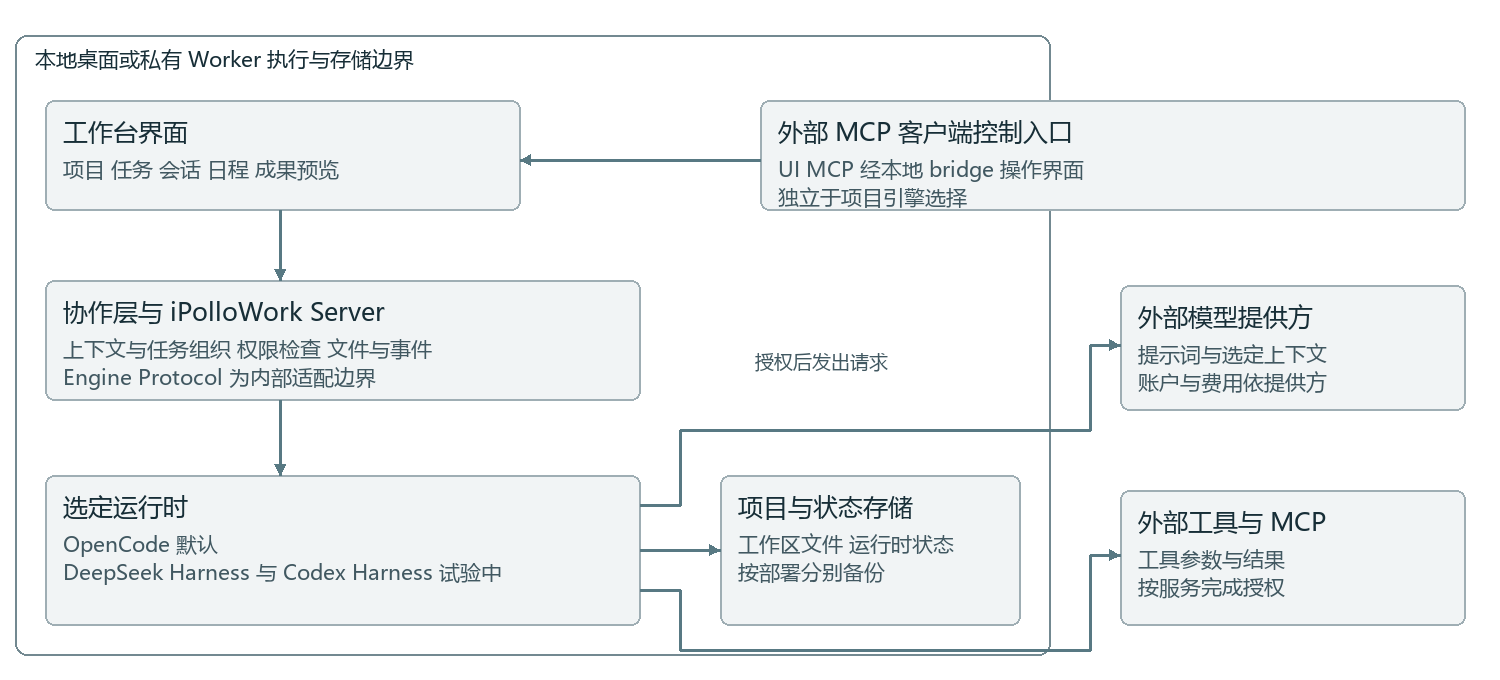
Task goals, project context, tool history and execution ownership.
OpenCode by default, with DSH and Codex Harness available by configuration.
Files, browsers and configured services used for the task.
Code, documents, websites, designs and video projects.
Private team membership and resource governance.
Models and device management, distinct from a task Worker.
Providers, execution runtimes and the collaboration layer have separate responsibilities. Recheck accounts, tools and session behavior when switching engines. UI MCP bridges external interface control; it is separate from a project's Codex runtime. See architecture and runtime lifecycle.
A short evaluation sequence
- Record the client version, OS and runtime.
- Select a writable project and configure a real provider with available quota.
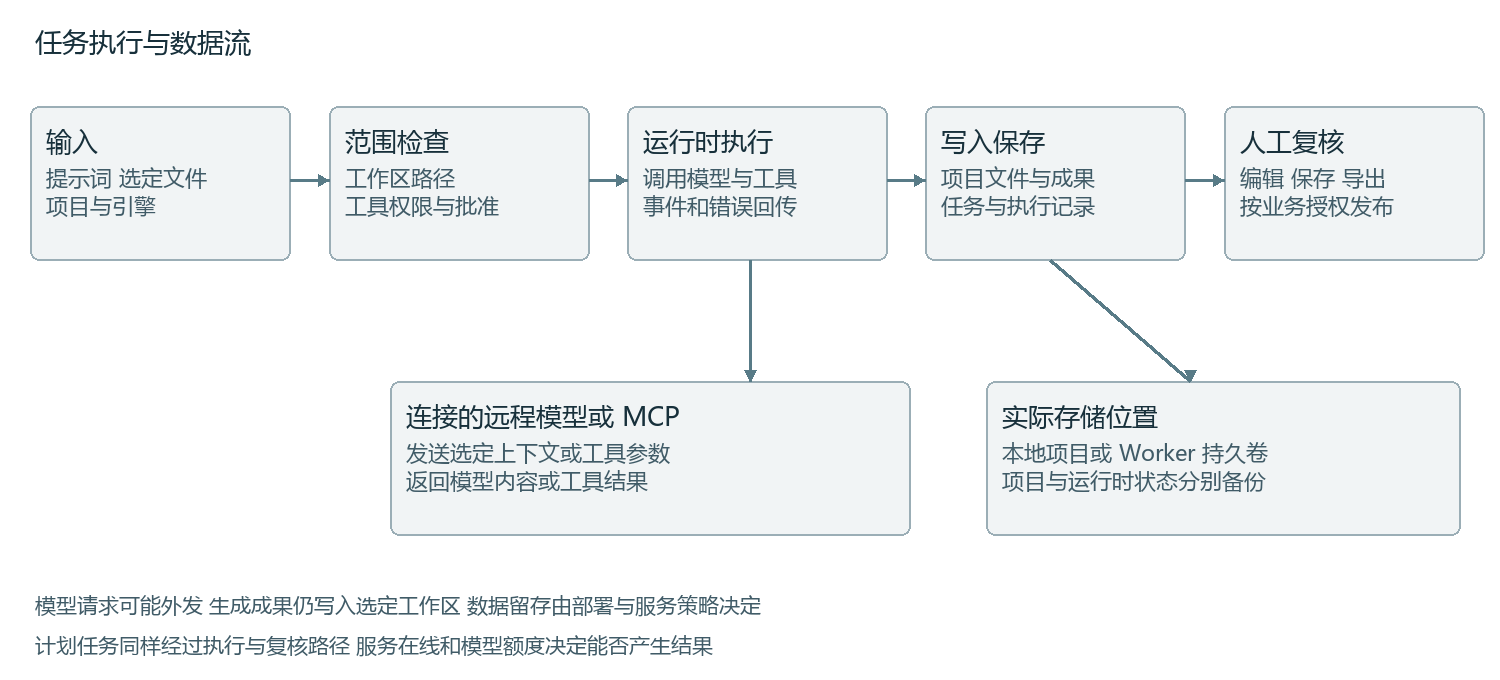
- Generate a small website.
- Open the actual files and verify preview, editing, saving and reopening.
- Verify video exports, plugins and schedules separately when required.
Website example
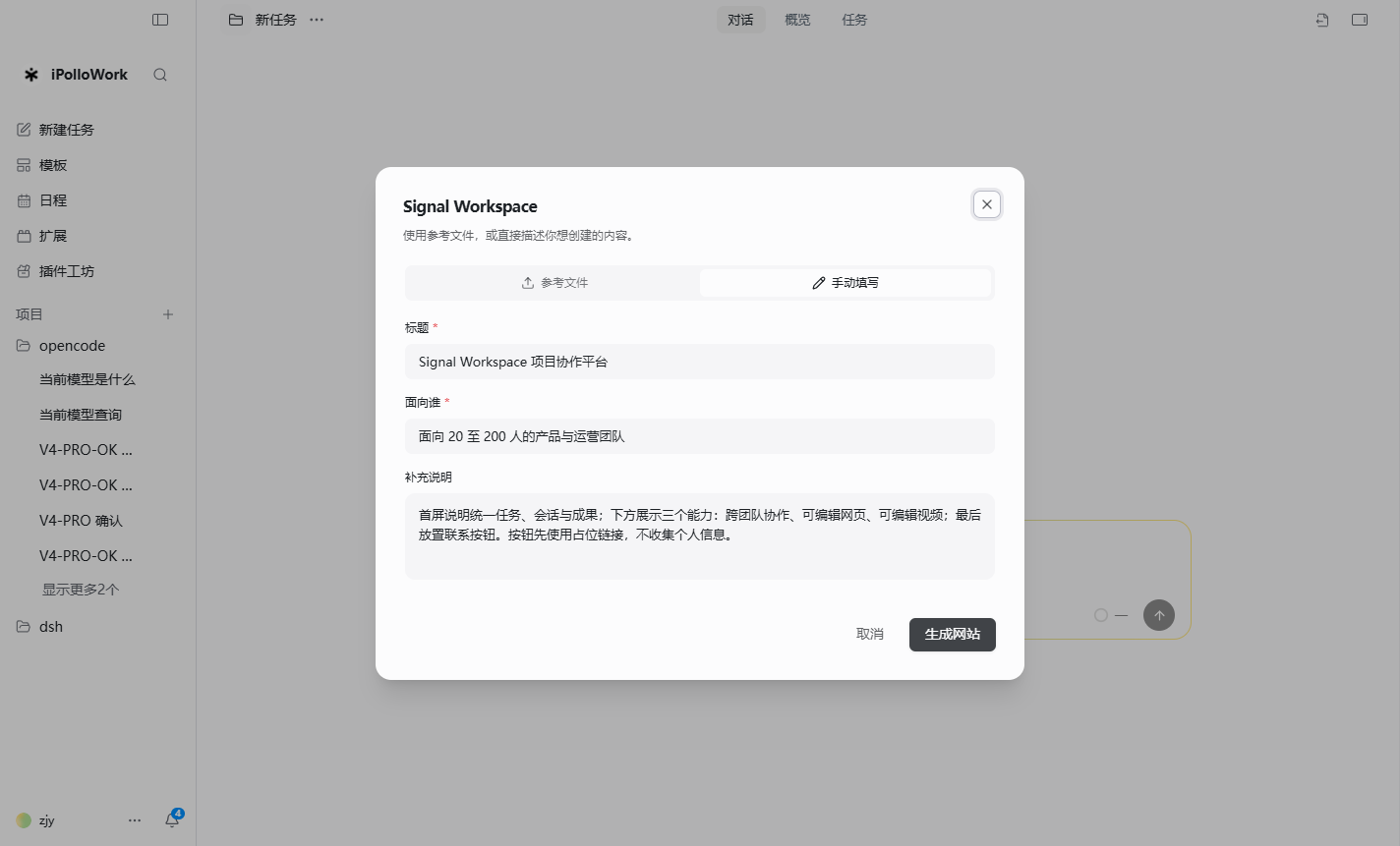
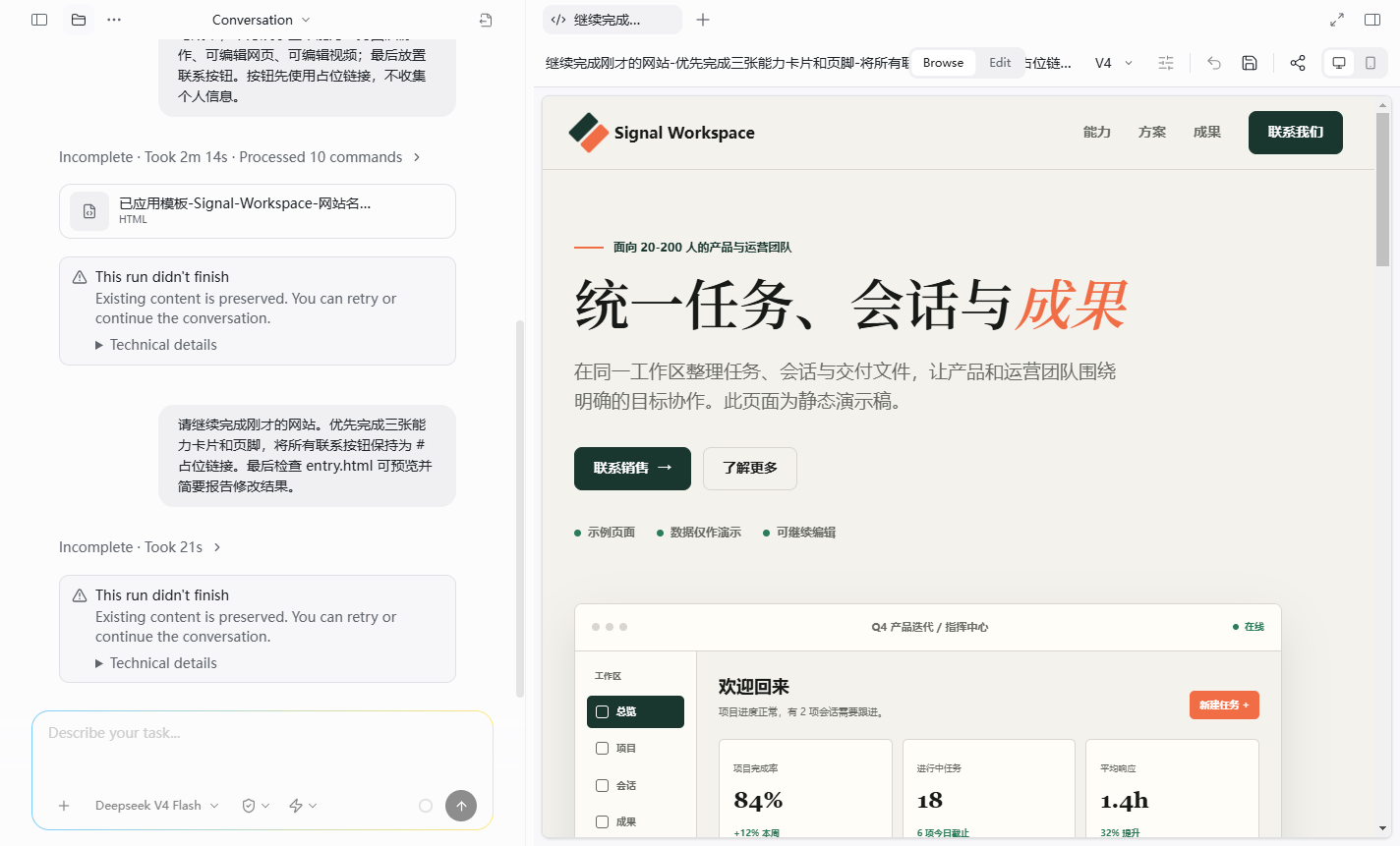
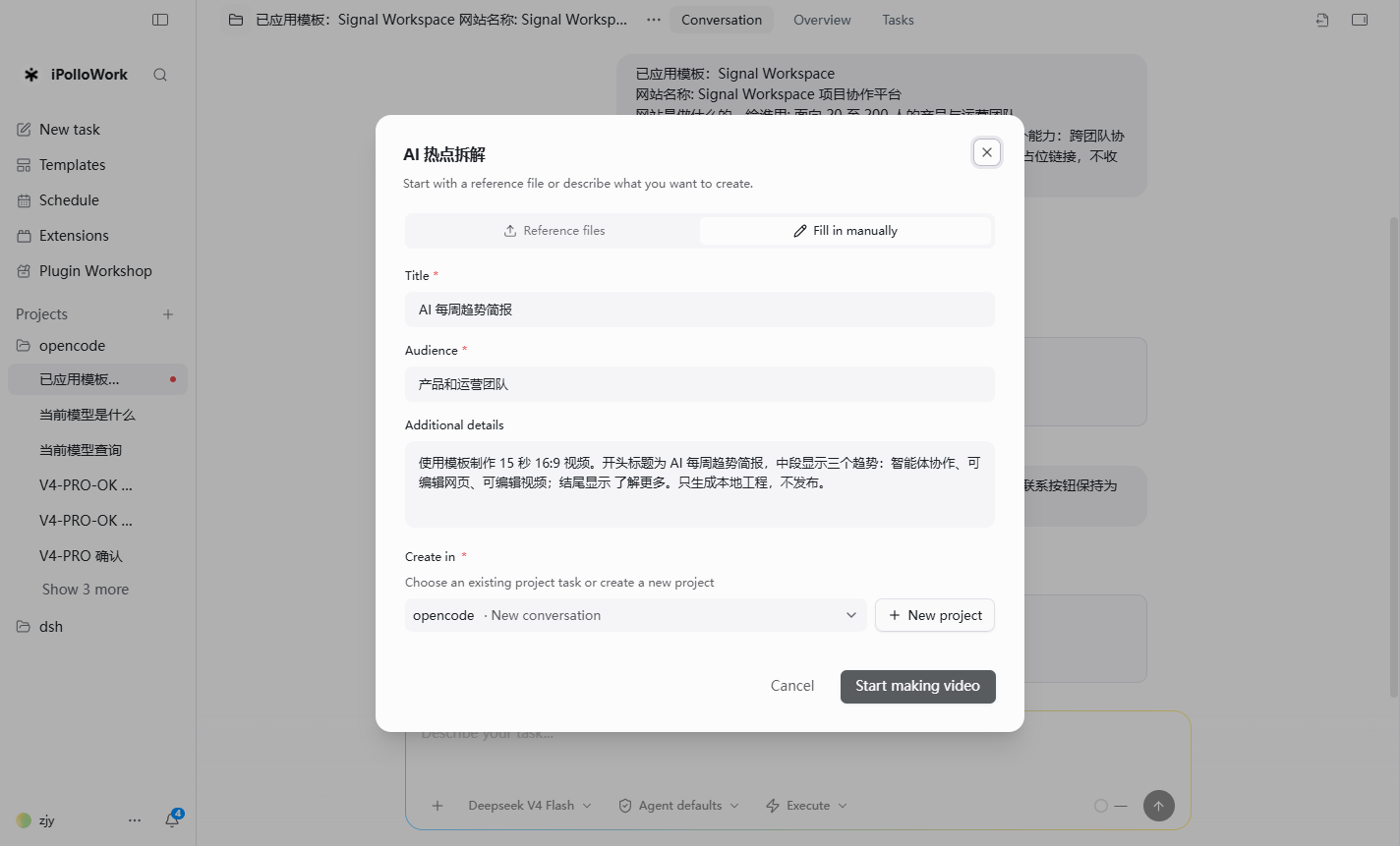
The original example used the Signal Workspace template for a product page aimed at teams of 20–200 people. The workflow selected website creation, supplied the audience and requirements, then generated, previewed and edited the page.
Automated continuation stopped twice, and cards and the footer were completed manually. This verified the template → files → manual editing → preview loop. It did not establish reliable one-prompt website completion. Contact information and demonstration metrics required replacement or verification before publication.
Keep design/<session-id>/entry.html and related assets. Check links, forms, responsive layouts and external resources before deployment.
Video example
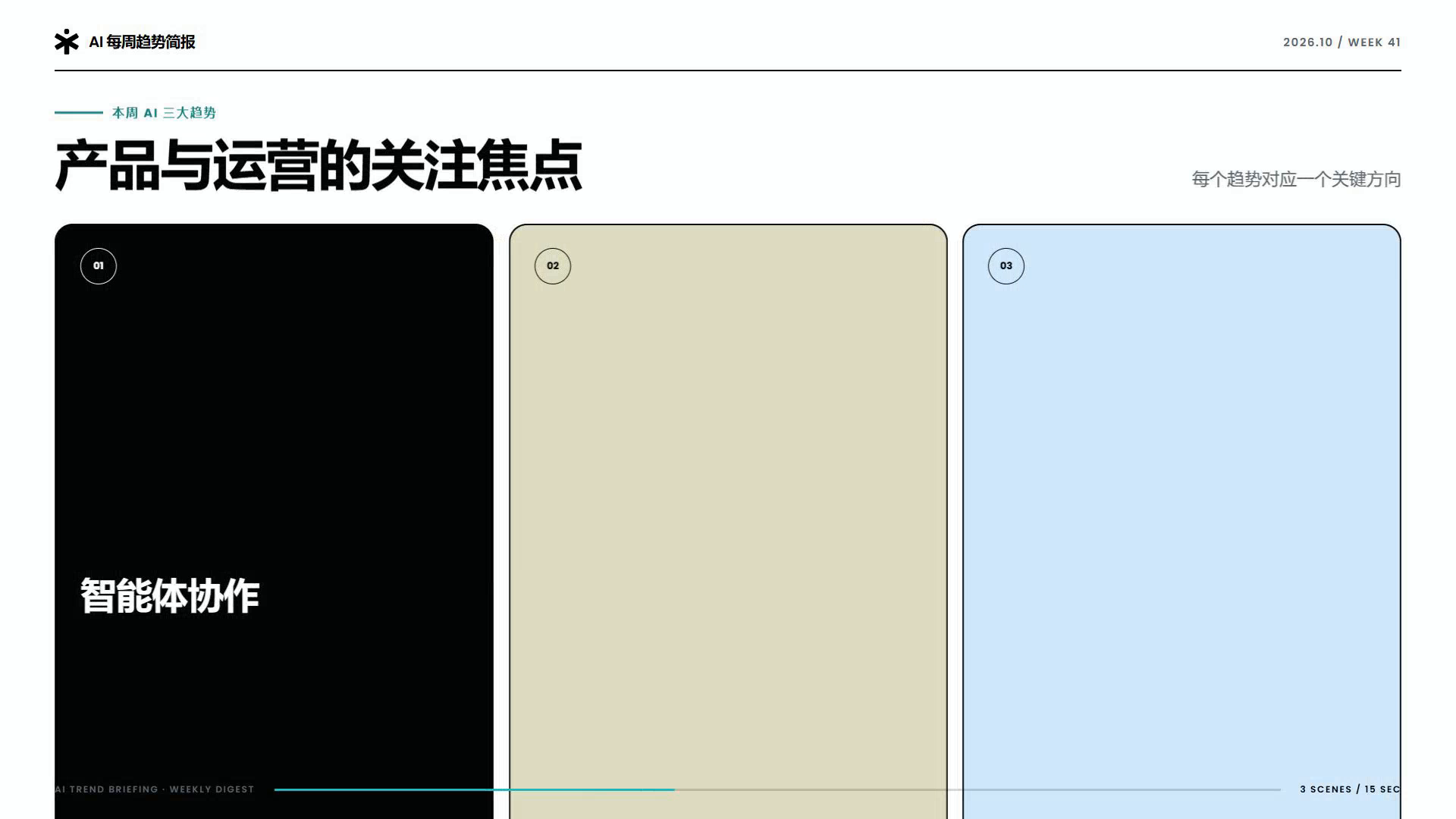
The historical “AI weekly trends” example used a three-scene template: 16:9, 1920 × 1080, 30 fps and 15.0 seconds. Lint reported zero errors and warnings, and a draft MP4 rendered successfully.
Keep video/<session-id>/index.html, assets and exported files. These are the pinned commands used for that example, run from its video project directory; use the requirements of your version for other projects:
npx --yes hyperframes@0.7.60 lint
npx --yes hyperframes@0.7.60 render --fps 30 --quality draft --workers 1 --output weekly-brief.mp4
Arbitrary asset replacement, TTS and independent subtitle tracks were outside that verification. Fonts, media, browser and encoding dependencies require checks on the target machine. See the Video workspace.
Scheduled tasks
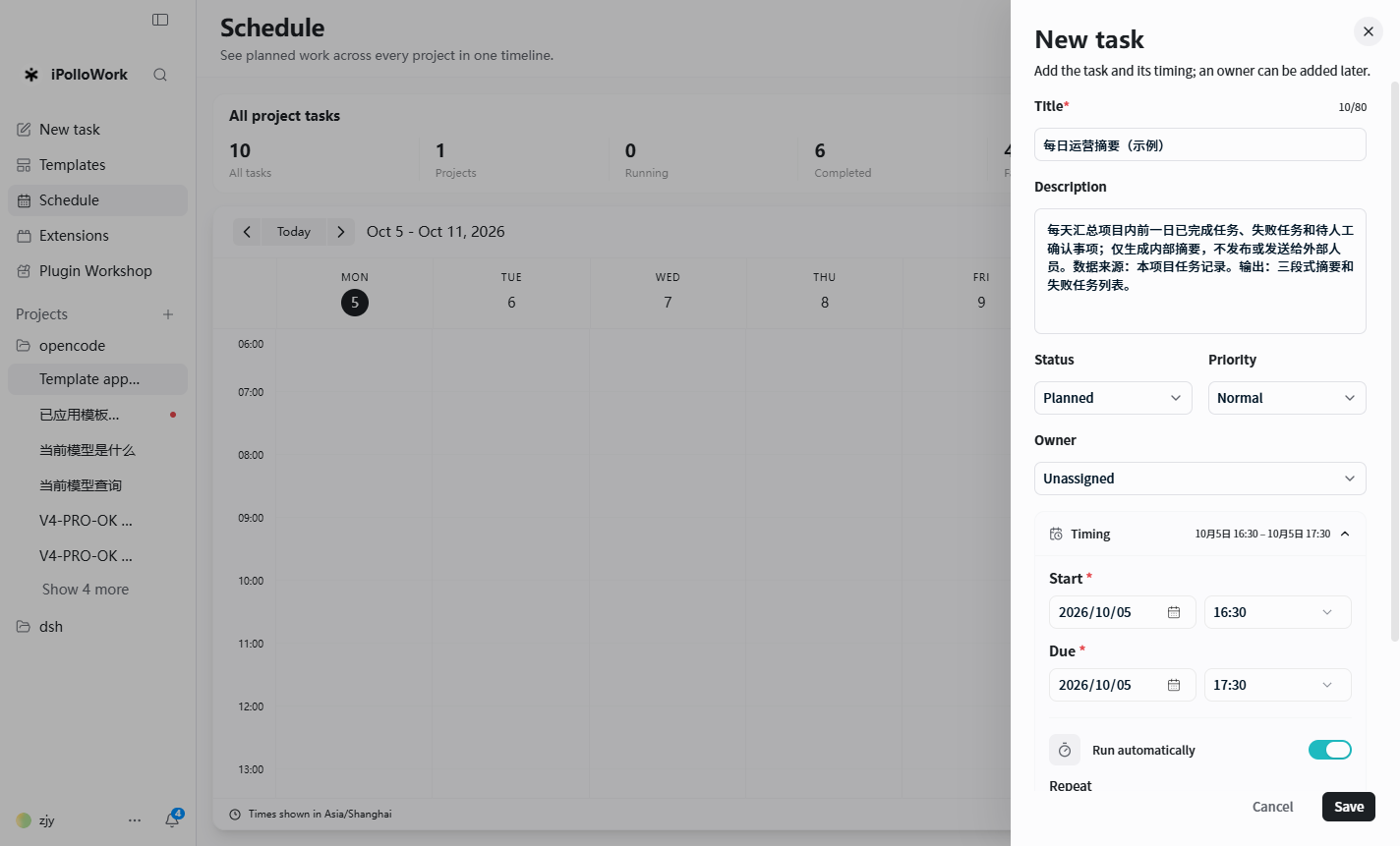
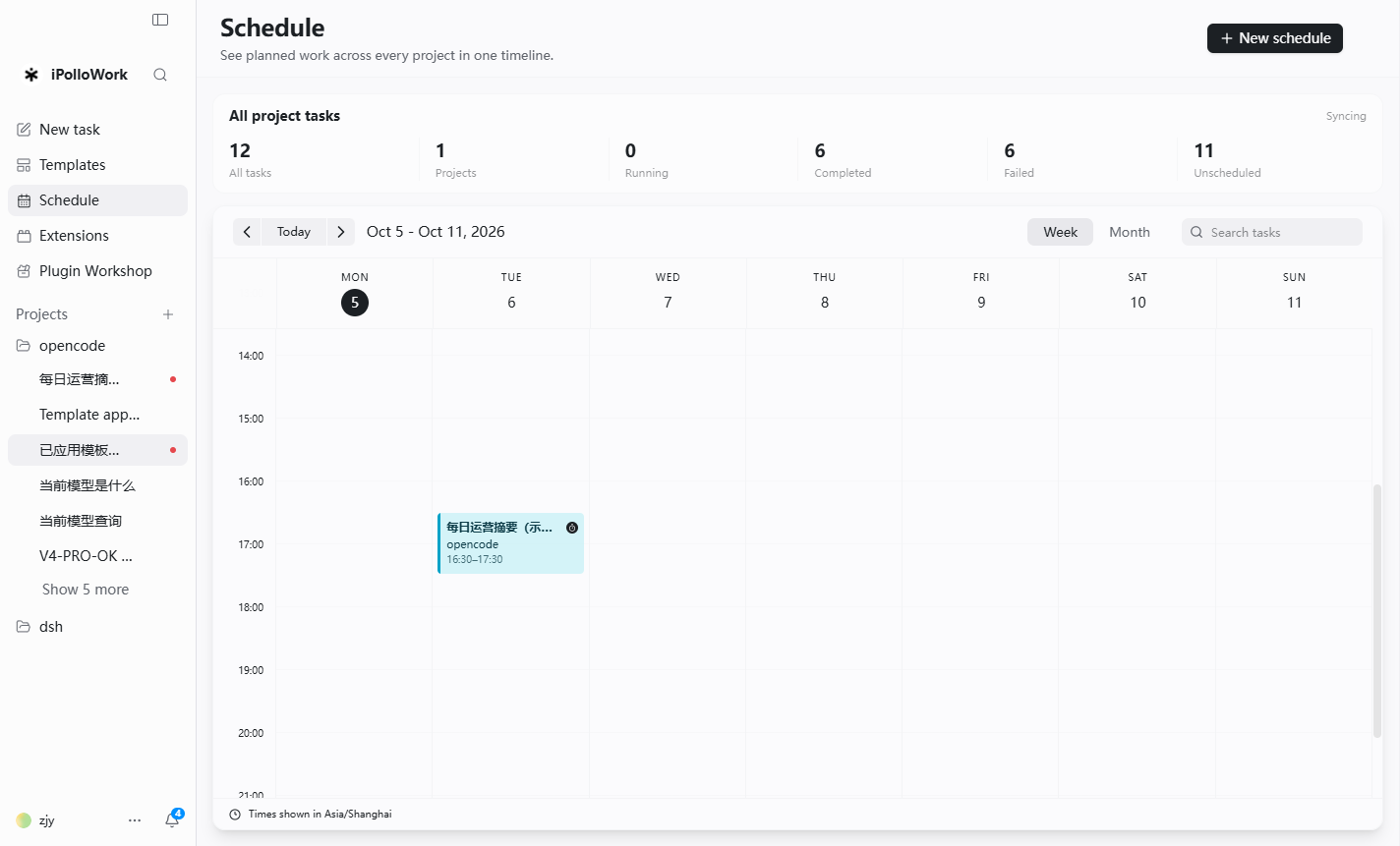
Run the task manually first, then configure time, timezone, project and execution service. The app or Worker, provider quota and dependencies must remain available.
The manual recorded creation and triggering of a daily 16:30 Asia/Shanghai task, but provider quota was exhausted and no summary was produced. Saving and triggering were verified; successful generation still required retesting.
A fixed-input acceptance task is easier to reproduce:
Read inputs/ops-tasks.csv and group items into completed, nearing deadline
and follow-up needed. Preserve original owners and dates; invent nothing.
Write reports/daily-summary.md and list records that cannot be classified.
Check the actual output and failure diagnostics before enabling recurrence. External publication, email and other services require their own connection and authorization.
Plugin development
Choose a Skill for reusable task methods, MCP for a callable service, or a plugin package for organized resources. Reuse existing capabilities and keep credentials out of source files and templates.
Minimal Skill plugin layout:
acme-summary/
  ipollowork.plugin.json
  skills/acme-summary/SKILL.md
{
  "schemaVersion": 2,
  "id": "acme-summary",
  "name": "Acme Summary",
  "description": "Summarize supplied documents and produce action items.",
  "source": {
    "format": "ipollowork-extension-manifest",
    "origin": "local",
    "trusted": false
  },
  "package": {
    "version": "1.0.0",
    "publisher": { "id": "acme", "name": "Acme Team" },
    "updateId": "acme/acme-summary"
  },
  "resources": [{
    "type": "skill",
    "id": "acme-summary",
    "label": "Summarize documents",
    "path": "skills/acme-summary",
    "required": true
  }]
}
Document the Skill's purpose, inputs, procedure, outputs and limitations. Package it as .ipollowork-plugin, install in the target Work version, and test discovery, a real task, update and removal. A working source checkout does not validate packaged paths and dependencies.
For MCP, confirm the URL, transport, authentication and tool permissions, then perform an actual tool call. Continue with the API reference.
Deployment and data security
| Path | Verify |
|---|---|
| Local desktop | Project directories, model connection, file permissions and backups. |
| Remote Worker | Service identity, network scope, persistent storage, authentication and logs. |
| Enterprise Server | PostgreSQL, persistent artifacts, HTTPS, access controls and restore testing. |
| OS local and remote spaces | Device ownership, embedded or server storage, model access and readiness. |
Enterprise and OS services require their own versioned deployment instructions. Use the deployment documentation as a further reading path.
Before release, identify stored data and external context transmission; distinguish field encryption from disk, log and backup encryption; verify roles against actual execution access; and test backup, restore, upgrade and rollback. Local-first operation does not imply that no data can reach providers, MCP or external tools.
Full SSO, hardware performance and an SLA require confirmation for the actual deployment and written agreement.
Licensing and commercial use
- Individual non-commercial use and internal non-commercial use by fewer than three total users must satisfy the license conditions.
- Any use by three or more total users, and commercial use, hosted/SaaS services, paid delivery, resale and white-label use, require prior written authorization.
- Preserve iPolloWork branding, copyright, license and third-party notices. Previously MIT-released portions retain their existing rights.
- Source Available is not an OSI-approved open-source license. Read the current LICENSE; other products follow their own terms.
Pricing and deployment scope depend on users, purpose and services. Contact the team.
Troubleshooting and acceptance
Record version, OS, runtime, reproduction steps, minimal input, expected behavior and actual behavior. Check provider connectivity and quota first, then project writes, tools and execution services. Preserve generated files before retrying.
Acceptance should cover startup, a real model response, reopening and editing artifacts, required plugin calls, video export if used, actual scheduled output if used, member access if used, and backup recovery.
Product and deployment boundaries were reviewed on 2026-11-02. Historical example outcomes remain tied to the 2026-10-08 baseline.
Source interface examples
Screenshots below are taken from the current independent manual. Full illustrated procedures are available from the document library.